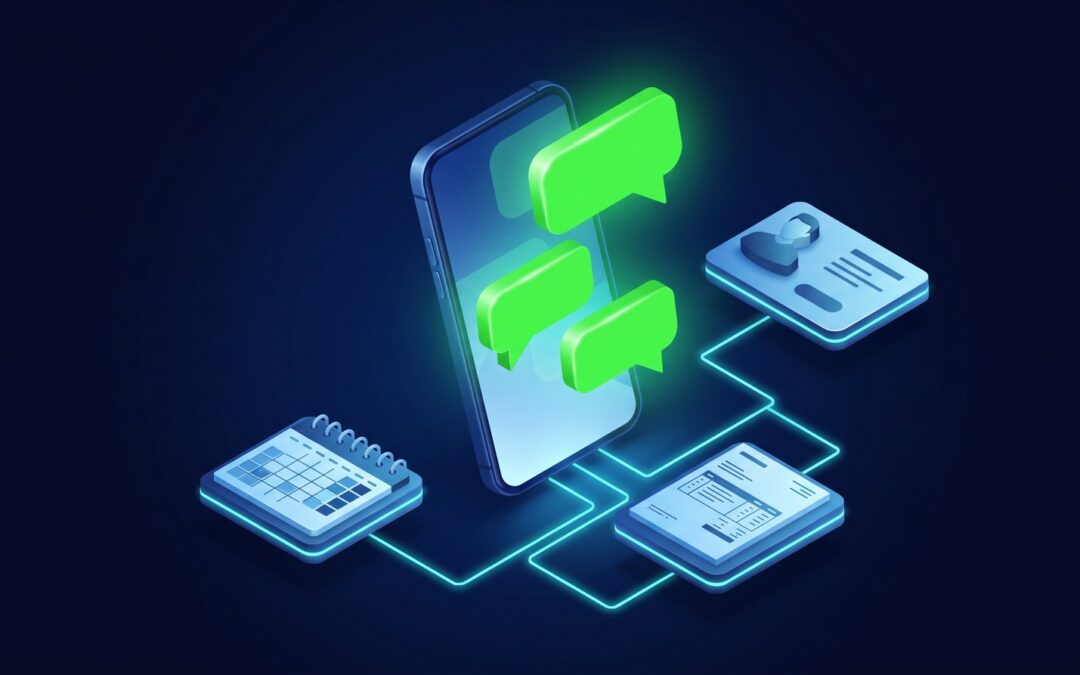
At Robust Data Solutions we connect your company’s official WhatsApp to your CRM, your ERP and your calendar, within a single artificial intelligence for the whole company and with a person who decides. It isn’t a phone with WhatsApp Web open at the front desk, or an unofficial tool: it’s Meta’s platform for businesses, and we are a verified Meta technology provider.
Data checked as of November 18, 2026 against Meta’s and WhatsApp’s official documentation and policies.
Three different WhatsApps, and only one truly connects
- The “mobile” WhatsApp. It’s the personal one. Many businesses serve their customers with it, and everything depends on one phone and on whoever carries it.
- The WhatsApp Business app. It’s the version for businesses, but it still lives on a phone and every message is typed by a person.
- WhatsApp Business Platform. It’s Meta’s official way for the company’s number to work with its programs; it’s what technical people call the WhatsApp Business API. Messages go in and out of your management system, under known rules: to start a conversation you need the customer’s consent and a message template approved by Meta, under its messaging policy.
The risk of shortcuts
There are tools that promise to automate WhatsApp without going through Meta. WhatsApp explains it in its Help Center: using unofficial apps, or linking your account to them, breaches its terms and can end in a temporary or permanent suspension. For a business, that means losing the number all its customers have.
The official route isn’t a free-for-all either: Meta can limit or withdraw access for anyone who breaches its policy. But the rules are written down and can be followed.
You can keep using the app on your phone
If your team already serves customers with the WhatsApp Business app, they don’t have to give it up. The same number can be on the phone and connected to your programs at the same time. What someone types on the phone and what goes out from the system show up in both places.
According to Meta’s documentation, you can bring over the conversations from the last six months. Groups aren’t synced, and WhatsApp for Windows can no longer be linked to that number.
If the number is new, it’s registered directly on the platform. We decide that with you before we start.
What changes when WhatsApp is inside your programs
With WhatsApp on its own, your team acts as the bridge: they read the message, open the customer’s record, check the calendar and reply. Connected, that’s a single question to the AI, typed or spoken from your phone:
- “Which customers have written to us this week and have outstanding invoices?”
- “Send the reminder for tomorrow’s appointments.”
Each person only sees and does what their permissions allow. We explain it in How it works.
It’s not one more AI on the list: it’s one AI on top of all your software, and for each one we build a custom smart connector.
What goes out on its own and what waits for a person
- Goes out on its own when it’s routine, with an approved template and the rules you’ve set: an appointment reminder or a due-date notice.
- Waits for your sign-off when it’s something new for a customer: a reply drafted for their case, a campaign, any message that talks about money. The AI gets it ready, and a person approves it, corrects it or discards it.
- Doesn’t do it if it isn’t programmed or if that person doesn’t have permission. If something isn’t expected, it stops and alerts someone.
This is how it works with Robust Autopilots: the AI proposes and a person decides.
A case: a chain of hearing care centers
In a chain of hearing care centers, appointment reminders go out on their own every day by WhatsApp. An appointment is never considered confirmed without a “yes” from the patient. If a professional can’t come in, the system contacts each affected patient and proposes another date. Whatever isn’t settled goes to the team.
The team no longer goes through the calendar with the phone in hand: that’s capacity regained to look after patients.
If an AI replies, your customer has to know
Since August 2, 2026, companies have had to comply with Article 50 of the EU AI Act: anyone talking to an AI has to know it. We explain it in If your company uses AI to talk to customers, it has had to disclose it since August.
That’s why what the system writes to your customers is identified as an automated message, and they can always ask to talk to a person on your team. Meta’s policy asks for it too: if you automate, the customer must have a clear way to reach a person.
What Meta charges
Meta charges per message. The rate depends on the template category (marketing, utility or authentication) and on the recipient’s country. Since October 1, 2026, it also charges for replies to people who’ve written to you, beyond a free monthly allowance. Messages your team types by hand from the app on the phone are still free.
Rates change several times a year, so we don’t give figures. In the diagnosis we work out what it comes to with your volumes.
Before touching a single piece of data, we sign the non-disclosure agreement and the data processing agreement. Every project goes through a regulatory compliance review with our partner Forrellat Consultors, a Data Protection Officer registered with the Spanish Data Protection Agency (AEPD).
Frequently Asked Questions
How do I connect official WhatsApp Business to my CRM or my ERP?
The company’s number is registered on Meta’s official platform and joined to your programs with a custom-built smart connector. First we run a diagnosis to see which programs you use and what’s worth automating.
Can my number get blocked if I use WhatsApp with AI?
The big risk is in unofficial tools: WhatsApp warns that they can end in a temporary or permanent suspension. On the official route you work under Meta’s rules: customer consent and approved templates. Nobody can promise that Meta will never act, but following its rules is the serious way to reduce that risk.
Do I have to change my number or stop using WhatsApp on my phone?
No. If you already use the WhatsApp Business app, the same number can stay on the phone and be connected to your programs at the same time. If you use personal WhatsApp, you first move to the business app.
What is a verified Meta technology provider?
It’s a company that has passed Meta’s business verification and app review (officially, a Meta Tech Provider), and can therefore register and manage its customers’ WhatsApp through the official channel. Robust is one. It isn’t a quality seal: it means we work along the path Meta has laid out.
Can the AI answer my customers on WhatsApp on its own?
It can answer whatever your company decides: opening hours, policies, the status of an appointment. With rules so it doesn't make things up, and letting customers know they're talking to an AI. Anything sensitive, such as money, contracts or personal data, goes through a person.
What if my management software is very old?
It can be integrated too, though sometimes it needs a preliminary step. If it’s a very old program —say, a custom database built years ago— the professional approach is to rescue its data first and move it into a modern program, custom-built if needed, that can then be connected securely. We assess it in the diagnosis, before we start.