
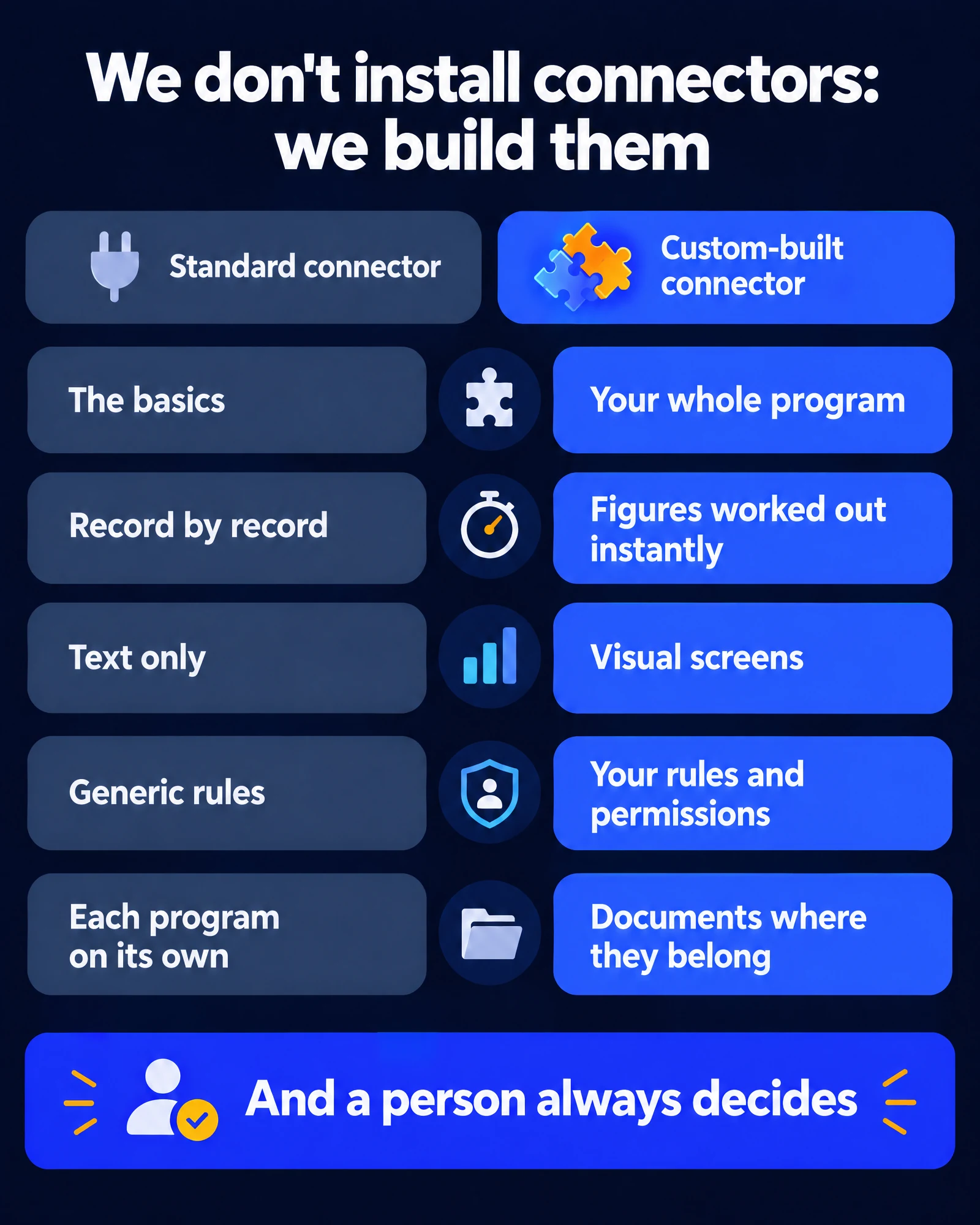
At Robust Data Solutions we don’t install connectors: we build them. Every smart connector that links your ChatGPT or Claude to your company’s software is custom development, written by us for that program and for the way you work.
These days, connecting artificial intelligence to your management software looks like a one-click job: many vendors already publish their own connector, and the ones for email, calendar and documents come built in. They work, and they’re fine for getting started. But the question that matters is a different one: does your AI reach everything your company does, or does it stop at the door?
Data checked as of October 13, 2026.
What a standard connector includes (and what it doesn’t)
A vendor builds its connector for all of its customers at once, from the two-person business to the multinational. It makes sense that it sticks to what they all have in common: finding a contact, reading a record, creating a simple entry. It’s good work, and it covers the basics.
What it can’t include is what only your company has:
- The whole program. It usually covers only part of it. The standard connector for a very well-known CRM works with a handful of generic functions and, according to its official documentation, is read-only for marketing (checked October 13, 2026). The one we built for that same CRM has 322.
- Your rules. What can go out without review, who approves a discount, which customer is off-limits.
- Each person’s permissions. Everyone sees and does, by talking to the AI, exactly what they’re already allowed to do in the program.
- Working across programs. A standard connector knows its own program, but nothing about your email, your accounting or your documents.
| A standard connector | A connector custom-built by Robust |
|---|---|
| Made for all of the vendor’s customers | Made for your company and the way you work |
| Covers the basics and what everyone shares | Reaches the whole program, including what only your industry uses |
| Reads records one by one | Does the math instantly: closings, balances, currencies |
| Answers with text | Answers with text and visual dashboards |
| Applies generic rules | Applies your rules and each person’s permissions |
| Each program works on its own | From email or WhatsApp to the right folder, without downloading anything |
What a custom-built connector looks like
Building a connector means studying your program from the inside, talking to the people who use it and writing, function by function, what your company needs to do just by talking. It shows in five ways.
1. Fast with numbers
A manager’s questions are almost never “show me invoice 214.” They’re about adding up, comparing and cross-referencing. A generic connector makes the AI read record by record; a custom-built one already knows how to do the math:
- “Prepare this quarter’s VAT closing”: one sentence, and you have the proposed journal entry, showing what needs to be paid or offset, ready for you to review.
- Invoices from foreign suppliers, converted to euros at the European Central Bank’s official rate on their date, with the exchange difference calculated when they’re paid.
- “Who really owes me money?”: separating real debt from rounding cents, payments on account and overpayments, which clutter up any list.
In the scheduling system of a healthcare client, checking a center’s open slots went from 16 queries and 1 minute 45 seconds to a single 2.7-second query (our own measurement, 2026).
2. Visual dashboards, not just text
Some answers are easier to understand when you can see them. Our connectors open screens right inside the conversation: a customer’s full profile; the company dashboard, with what’s been invoiced and collected; the inbox; an invoice or an email ready for you to review before you approve it. It’s the 360° view of your company and your email, in visual form, on your phone or your computer, without leaving the chat.
3. Your rules, and a person who decides
Our AI works with your data and never decides on its own: it proposes, and a person always makes the final call. The rules live inside the connector, not in a chat instruction that can be forgotten. Before writing, sending or changing any data, it shows you what it’s about to do and waits for your confirmation. Everyone signs in with their own permissions—if you can’t change something in your program, you can’t change it by talking to the AI either—and every operation is logged. That’s Human in the Loop.
4. Features the standard one doesn’t have
When a company needs something its software doesn’t do, we build it. A few examples already up and running:
- Scheduling Teams meetings on behalf of the partners, with recording and transcription, and then pulling the transcript to summarize it.
- Searching inside the text of all the company’s documents, not just by file name.
- Checking email, WhatsApp, the calendar and the management software in a single conversation.
5. Documents, where they belong
An invoice arrives on WhatsApp. You ask the AI to file it and send it to your accountant: it’s saved in the right SharePoint folder and goes out attached to the email, without you having to download it or upload it again. And the email goes out when you approve it. That workflow, with each person’s permissions and a log of every step, is only possible with a connector built to do it.
In just over a minute: how a custom-built connector works (video in Spanish).
More functions, more power: if you know how to manage them
There’s a reasonable objection: if you give an AI hundreds of functions, won’t it get confused? Won’t it slow down? That happens if it’s done badly. Done right, the opposite happens.
The connector we built for a healthcare client gives access to its entire management software: 292 operations. If it were handed all of them at once, the AI would have to read the descriptions of all 292 in every message before answering. With our connector, what it reads in each message is about 70 times less (our own measurement, 2026).
How? The way a good professional works: they keep what they use every day close at hand and know where to look for the rest when they need it. The AI chooses better because it doesn’t have 292 options on the table, and each person only sees the ones their role allows. For the company, the effect is simple: the whole program available, faster answers, and no query costing more than it should.
It’s not an isolated case. In another client’s management system, organizing their connector this way meant a normal afternoon of work needed 73% less reading by the AI (our own simulation using real responses from their system, 2026).
Today we’ve built more than 3,000 functions across more than 20 connectors (our own count, October 2026). Some examples:
| Connected software | Functions built |
|---|---|
| Team, customer and project management platform | About 1,150 |
| Widely used CRM | 322 |
| File storage and shared documents | 293 |
| All-in-one ERP | 282 |
| Email, calendar and documents in an office suite | 164 |
| Invoicing and accounting | 121 |
| Communications: email, WhatsApp, Teams and SharePoint | 101 |
Why it’s not copy and paste
A standard connector gets installed in an afternoon. A custom-built one takes hours and hours: studying the program from the inside, understanding how the team uses it, writing each function, testing it with real data, measuring and improving it again. It’s developers’ work, and that’s what we are. As our founder, Albert Lens, puts it: “It’s not just a connector we copy and paste. We’re problem solvers, we’re developers.”
Behind it are more than 40 years of building management software for businesses: we know what a journal entry, a VAT closing or a data processing agreement is before we touch the AI. And what we learn from each connector improves the next ones.
And we work with what you already have: we add, we don’t replace. Your program is still your program, with your subscription and your data. We connect all your programs, today’s and tomorrow’s; if one is very old, we bring it up to date first. We go through it program by program in Connect ChatGPT or Claude to Your ERP.
What your company gains
- Your whole company in one conversation. The ERP, the CRM, email, WhatsApp and documents, together, by text or by voice. And because they’re together, the AI connects what no single person has in front of them at once.
- Instant answers, with the real numbers.
- Control: permissions for each person, a log of everything and a person who decides.
- Capacity: up to 30% more team capacity without hiring anyone, measured in diagnoses of real companies. With €300,000 in payroll, that’s up to €90,000 more capacity to get things done.
- Compliance from day one: every project goes through a regulatory compliance review—data protection and the EU AI Act—with our partner Forrellat Consultors.
Our connectors work with ChatGPT and with Claude. Today we recommend Claude, among other reasons because its mobile app lets you talk to your company in a real voice conversation: you ask, it answers out loud and does what you ask. We explain it in How it works, and the philosophy behind it in AI First.
The question worth asking
When someone offers to connect AI to your company, ask three things: Do you install this or build it? How much of my software does it reach? Who decides before anything is sent or changed? With those three answers, you’ll know what you’re looking at.
If you want to see what a custom-built connector would do with your software, we start with a diagnosis: we measure how your company works today before connecting anything.
Frequently Asked Questions
What’s the difference between a standard connector and a custom-built one?
The vendor builds the standard one for all its customers at once, and it covers what they all have in common. A custom-built one is written for your company: it reaches the whole program, does the math instantly, applies your rules and each person’s permissions, shows visual dashboards and connects that program with your email, your documents and everything else. We build ours one by one.
Do I have to switch programs or drop my vendor’s connector?
No. We add, we don’t replace: your program, your subscription and your data stay yours. If you ever stopped working with us, you’d keep working just as you do today.
With hundreds of functions, doesn’t the AI slow down or make more mistakes?
If it gets them all at once, yes. That’s why we organize them: at a healthcare client, with all 292 operations of its software available, the AI reads about 70 times less in each message than if it were handed all of them at once, and each person only sees the ones their role allows (our own measurement, 2026).
Do they work with ChatGPT and with Claude?
Yes, with both. Today we recommend Claude, among other reasons because its mobile app lets you have a real voice conversation with your company.
Can the AI change data or send something without anyone reviewing it?
Not with our connectors. Before writing, sending or changing any data, it shows you what it’s about to do and waits for your confirmation. Everyone signs in with their own permissions, and every operation is logged.
What if my program is very old?
It can be integrated too, though sometimes it needs a preliminary step. If it’s a very old program —say, a custom database built years ago— the professional approach is to rescue its data first and move it into a modern program, custom-built if needed, that can then be connected securely. We assess it in the diagnosis, before we start.